
NEU LinkNEU LINK
Sign in

How to delete your account

Follow these steps in the NEU Link app to permanently delete your account.

Step 1

Open the NEU Link app and navigate to the home feed.
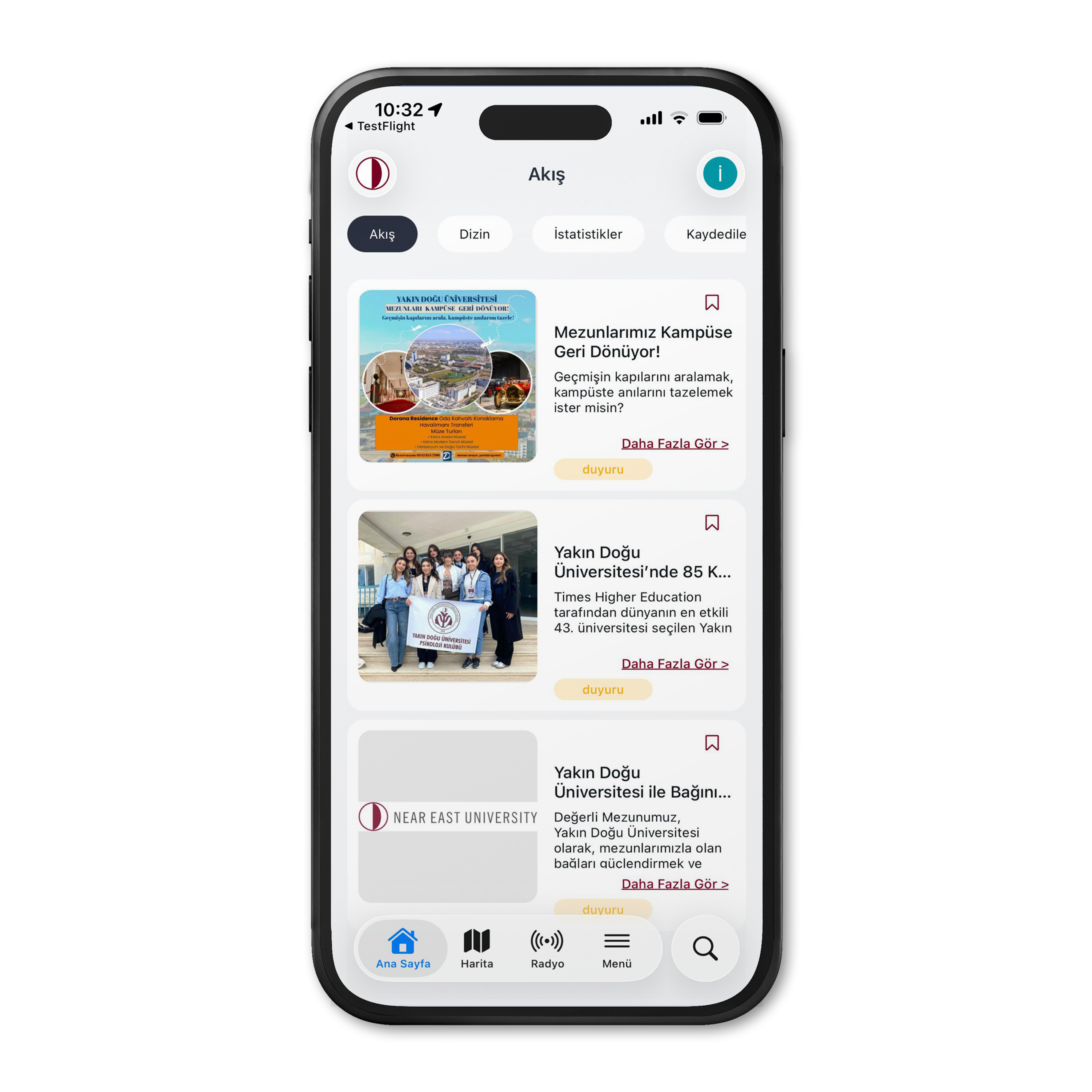
Step 1

Step 2

Go to your profile page from the menu.

Step 2

Step 3

Scroll to the bottom and tap "Delete Account", then enter your password and tap "Submit" to confirm.
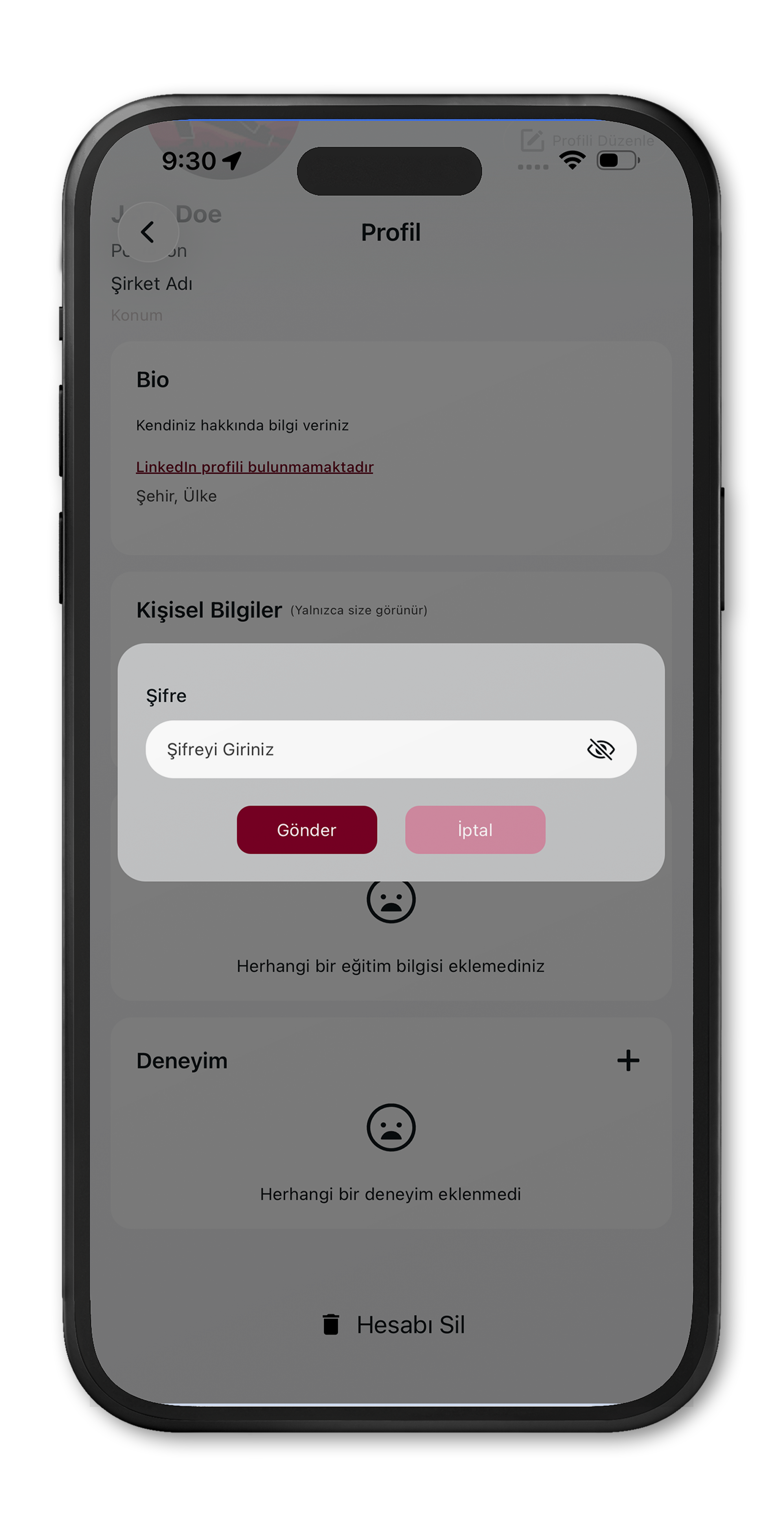
Step 3

Near East University (NEU)

Yakın Doğu Bulvarı, Lefkoşa / KKTC, Mersin 10 – TÜRKİYE

+90 (392) 223 64 64
+90 (392) 680 20 00

[email protected]
  • Academic calendar
  • Near East University Hospital
  • Near East Bank
  • GÜNSEL Electric Vehicle
  • Q&A
  • Privacy Policy
  • User Agreemnet
  • How to delete your account

NEU LinkNEU Innovation Center© 2026